Logo On Building Mockup

Branding is a critical component of success for any business, and its importance extends beyond traditional marketing campaigns to encompass both the office environment and external presence. While many startups understandably prioritize immediate sales and survival during their initial years, neglecting branding can be a costly oversight. Focusing solely on short-term gains without establishing a strong brand identity can hinder long-term growth and recognition.
While there's no magic formula for instant fame, consistent effort and delivering on promises are paramount. Startups often make ambitious claims, but failing to meet expectations can damage their reputation and erode customer trust. Therefore, the initial focus should be on providing high-quality products or services that resonate with customers and inspire loyalty. Positive word-of-mouth endorsements are invaluable for building a strong brand foundation.
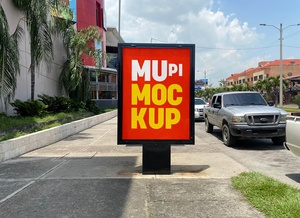
Once a business has established a solid base, investing in branding becomes essential. A visible presence is key to recognition. Simple yet effective methods, such as strategically placed signboards or display boards showcasing the company name and logo, can significantly enhance brand awareness within the local community. Ideally, incorporating the company logo directly onto the building facade further reinforces brand identity and creates a lasting impression.
To aid in visualizing this, we're offering a high-quality building mockup in PSD format. This resource allows you to easily showcase your logo on a realistic building exterior. Simply insert your artwork into the smart object layer, and the mockup will automatically apply the necessary perspective and lighting effects.
Mockup Details:
- Format: Layered PSD with Smart Object for easy artwork insertion
- License: Free for personal and commercial use
- Included: Photoshop PSD File
- Resolution: 3000 x 2250 px
Instructions:
- Open the PSD file in Adobe Photoshop CS5 or higher.
- Double-click on the Smart Object layer.
- Place your logo artwork within the Smart Object.
- Save the Smart Object (Ctrl+S or Cmd+S).
- The mockup will automatically update with your logo applied to the building.
Download: Get started by downloading the Logo On Building Mockup and visualize your brand's potential today!