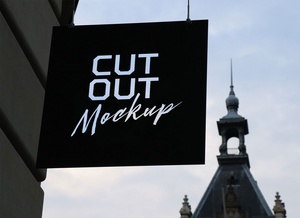
Paper Cutout Text Effect Logo Mockup

Cutout, a visually striking printing technique, involves strategically removing material from a design to create empty spaces. This method is often employed to highlight specific elements such as special characters, symbols, logos, company initials, or even intricate design details. The resulting negative space adds depth and uniqueness to the artwork, drawing the eye and enhancing its overall aesthetic appeal.
The cutout effect is typically achieved using precision tools. Laser cutting is a popular choice for its accuracy in removing specific sections. Alternatively, a die-cut machine can be utilized, particularly in packaging applications where consistent shapes are required.
Before committing to a final cutout design, it's crucial to create a rough stencil or prototype. This step allows you to visualize the effect and ensure that the cutout doesn't inadvertently remove or obscure essential parts of the design, especially when working with typography. Maintaining the integrity of letters and ensuring readability is paramount, and the stencil acts as a guide to prevent unintentional damage.
This technique of creating a stencil is arguably the most important step, especially when dealing with fonts. It ensures the design remains legible and impactful after the cutout process.
To showcase the potential of this technique, we're providing a paper cutout text effect logo mockup in PSD format. This mockup allows you to seamlessly integrate your own artwork via a smart object layer. By simply replacing the placeholder design with your own, you can quickly visualize a realistic paper cutout effect and evaluate its impact.
Mockup Details:
- Format: Layered PSD file with easy smart object insertion
- License: Free for both personal and commercial use
- Included: Photoshop PSD file
- Resolution: 3000 x 2000 pixels
Instructions for Use:
- Open the PSD file in Adobe Photoshop CS5 or later.
- Locate the smart object layer and double-click to open it.
- Replace the existing design with your own artwork.
- Save the smart object. The paper cutout effect will automatically be applied to your design.
Software Requirement: Adobe Photoshop CS5 or higher.