Street Drop Flyer Mockup

Flyer marketing can be a cost-effective strategy, but its success hinges on careful planning and cost management. Conversion rates for flyers typically range from 1% to 5%, meaning that for every 100 flyers distributed, you can expect between 1 and 5 people to take action.
Before embarking on a flyer campaign, it's crucial to analyze the printing costs. Outsourcing printing can be expensive. For example, printing 100 full-color flyers (front and back) can easily cost around $100. To justify this expense, each sale generated from those 100 flyers needs to cover the printing cost and yield a significant profit. If your product generates a profit margin of $150-$200 on a $400+ product, then flyer distribution could be a viable option.
For startups and small businesses operating on a tight budget, minimizing printing expenses is paramount. Consider using single-color or two-color flyers to reduce costs. Alternatively, for businesses planning regular flyer campaigns, investing in a smart tank printer for in-house printing can be a more economical long-term solution.
Let's break down the potential savings of printing at home. You can purchase 1000 A4 pages for approximately $20 and spend roughly $50 on ink to print 1000 full-color pages. Adding the initial investment of $250-$300 for the printer, the total cost for printing 1000 full-color flyers becomes $370. This translates to a cost of $37 per 100 flyers. Imagine generating just one sale after distributing each set of 100 flyers. With a profit margin of $150 - $200 per sale and distributing 1000 flyers you would earn $1000 to $1500, easily covering your initial investment and ongoing costs. Over time, the cost per flyer will decrease as the printer investment is recouped.
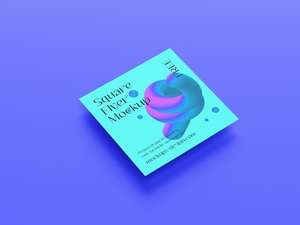
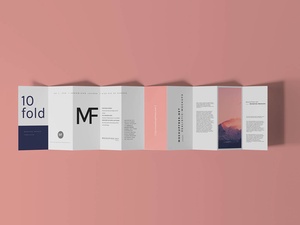
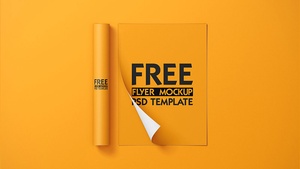
To help you visualize your flyer design, we're providing a free street drop flyer mockup in PSD format. This layered PSD file allows for easy smart object insertion, enabling you to place your artwork and preview a realistic outcome.
Flyer Mockup Details:
- Format: Layered PSD
- Smart Object: Easy artwork replacement
- License: Free for personal presentation use
- File Includes: Photoshop PSD File
- Mockup Resolution: 3000 x 2000 px
Instructions:
- Open the PSD file in Adobe Photoshop CS5 or later.
- Locate the smart layer and double-click to open it.
- Place your flyer design within the smart object and save the file.
- The mockup will automatically update with your design.
This mockup offers a convenient way to present your flyer design and assess its visual impact before printing.