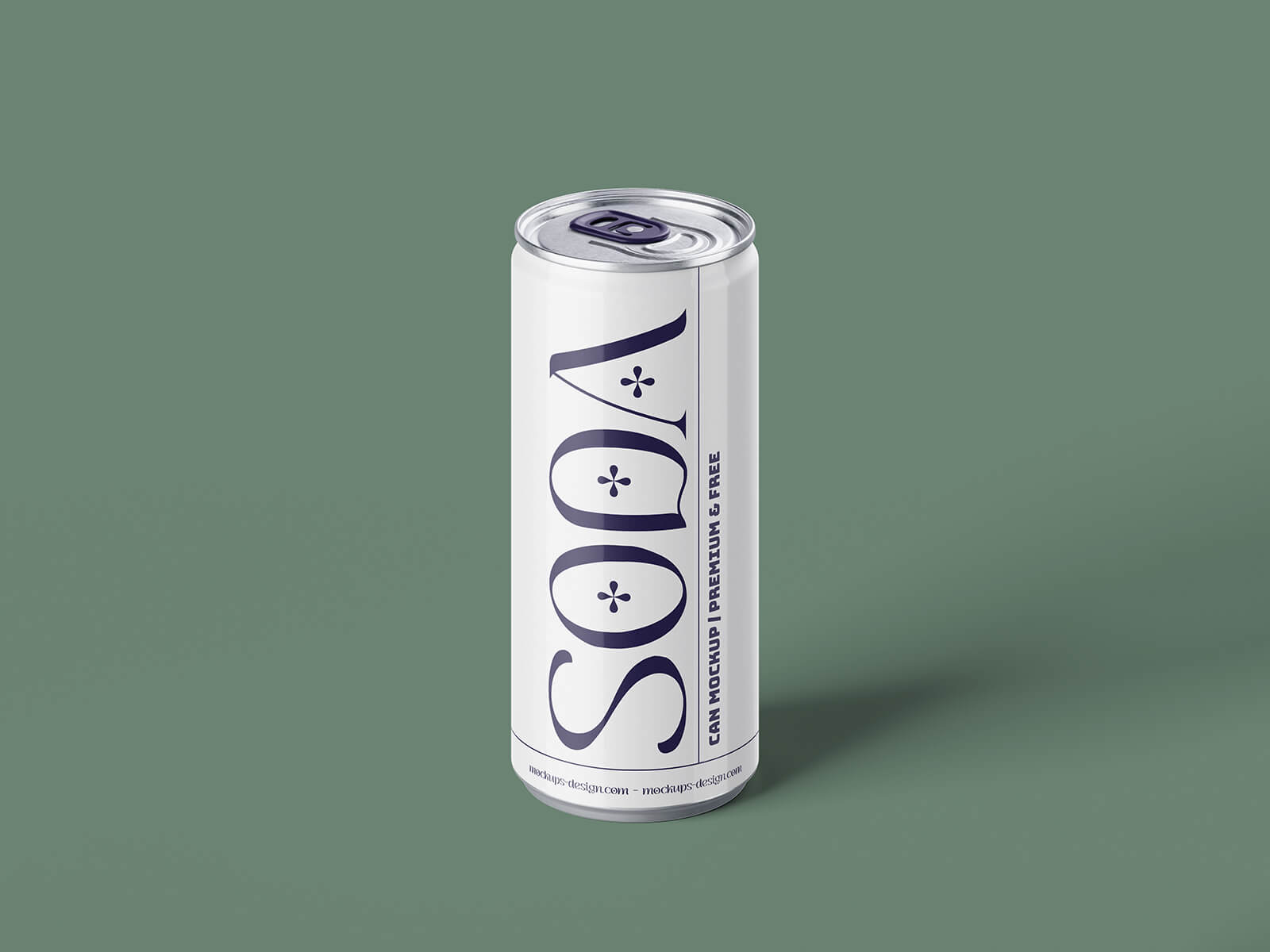
3D Soda Can Label Mockup

My journey in the packaging industry began with a whirlwind of projects. Every day seemed to bring new challenges, designing labels for a diverse range of products - from bottles to cans, jars, and even injectables. My workload was substantial, juggling multiple projects simultaneously for a long list of clients. Switching between them proved demanding, as I relied on various design software - Illustrator, Photoshop, Freehand, and CorelDraw. While the tools have evolved over time, the fundamentals remain the same.
Looking back on my decade of experience, having worked on over 500 projects solo, I've learned valuable shortcuts and gained insights that I'm eager to share. One key takeaway is the importance of replicating the main artwork twice when designing labels, sandwiching the ingredient and barcode information between them. This "double-sided" approach allows for a visually engaging and informative label. However, if the amount of information is extensive, a single-sided design may be necessary, prioritizing information over aesthetics.
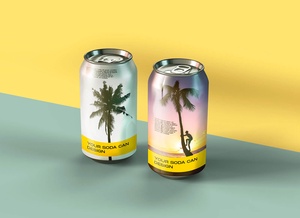
Today, I'm excited to share a resource I've created: a 3D soda can label mockup in PSD format. This mockup allows you to effortlessly place your artwork onto a smart object, resulting in a realistic and professional presentation.
Here's what you can expect:
- Format: Layered PSD with easy smart object insertion
- License: Free for personal and commercial use
- Contents: 3 Photoshop PSD Files
- Resolution: 4000 x 3000 px
Instructions:
- Simply place your tin label design onto the smart object, and it will automatically update.
- Requires Adobe Photoshop CS5+
Download the Soda Can Mockup Set now and elevate your label designs!
This mockup set is just one way I'm committed to helping fellow designers. It reflects my passion for sharing knowledge and resources that can make design processes smoother and more efficient.