Close-up Paper Logo Mockup
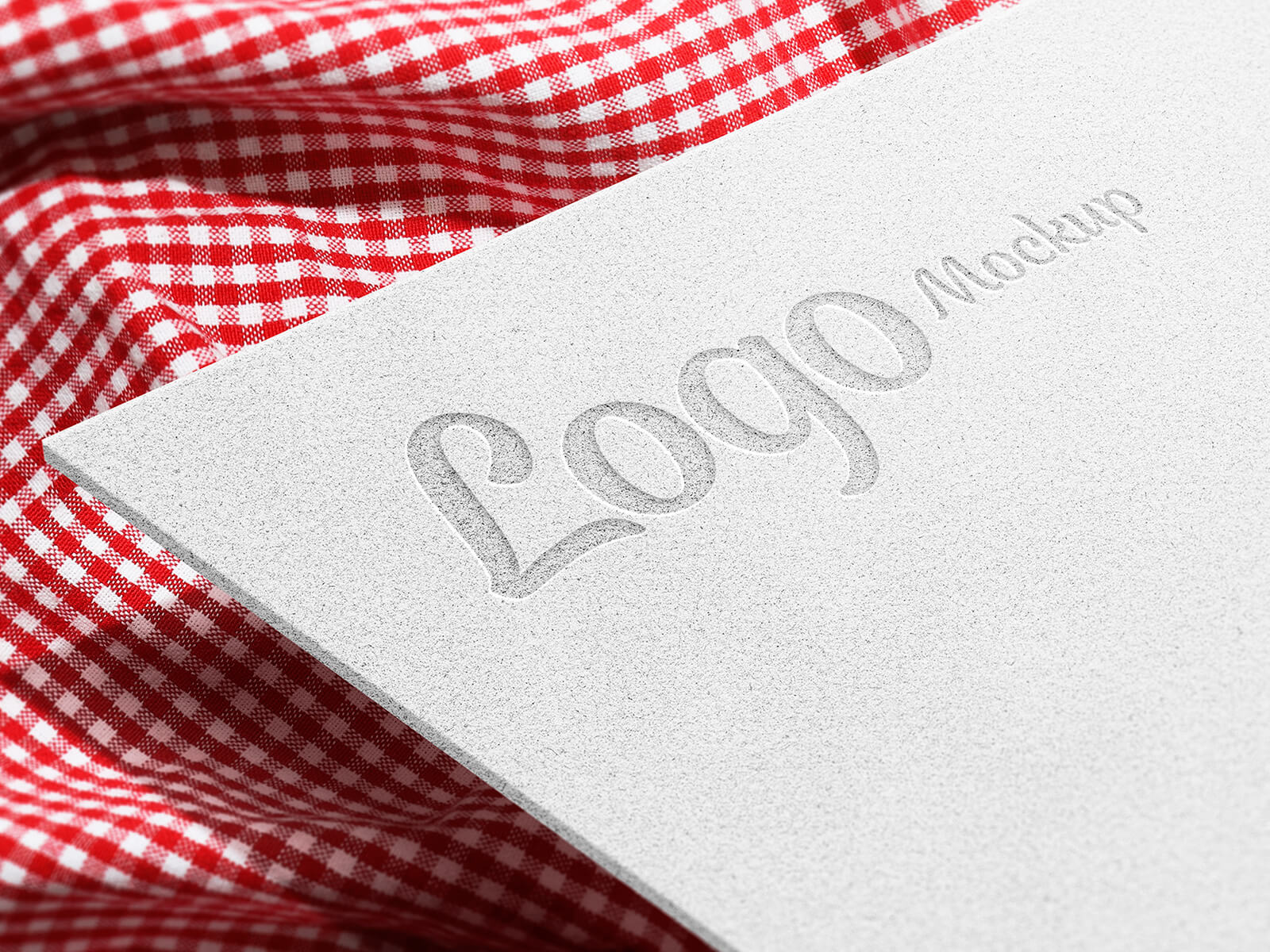
In the realm of presentations, particularly those showcasing UI design or sophisticated foil-printed titles, close-up shots reign supreme. They offer an unparalleled level of detail and visual impact. When preparing a branding presentation for a new client, strategically incorporating close-up shots can significantly elevate its perceived value and leave a lasting impression.
Consider capturing these close-ups through various methods. You could present the printed version physically and then meticulously photograph it using a DSLR, employing macro lenses to highlight textures and subtleties. Alternatively, leverage a high-quality close-up mockup, a cost-effective and efficient solution for visualizing your design.
Crucially, strive for depth of field in your macro shots. This technique not only adds an authentic touch but also provides a tangible sense of how the design will translate in its final, printed form. By allowing viewers to perceive the dimensionality and tactile qualities of the design, you foster a deeper connection and understanding.
Beyond visual representations, a comprehensive logo presentation should also meticulously outline the chosen color scheme and typography. This can be elegantly achieved through a dedicated PowerPoint presentation or by seamlessly integrating a dedicated slide into a video format. This comprehensive approach ensures that your client fully understands the rationale and aesthetic choices behind your design.
To aid in achieving these visually rich presentations, we're offering a complimentary close-up paper logo mockup in PSD format. This resource allows you to effortlessly showcase your artwork by placing it within a smart object, resulting in a highly realistic and professional outcome.
Here's a detailed overview:
- Available Format: Layered PSD file with easy smart object insertion for seamless design integration.
- License: Freely available for both personal and commercial applications.
- Included in Zip File: A fully editable Photoshop PSD file.
- Resolution: High-resolution at 3000 x 2000 pixels ensuring crisp and detailed presentation.
Simple Instructions:
- Locate and utilize the smart object layer to seamlessly insert your logo design.
- Software Requirement: Requires Adobe Photoshop CS5 or a later version.
Download this paper logo mockup now and instantly elevate the visual impact of your logo presentations!