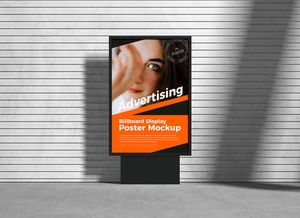
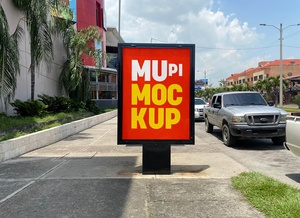
Mounted Street Billboard Mockup

Billboards are more than just giant advertisements; they're fleeting moments of visual communication. To make the most of those precious seconds, you need a design that speaks volumes in a glance. Here's a breakdown of what to consider when designing a billboard:
1. The Unwavering Goal: Brand and Message
Remember, your billboard has a single, crucial purpose: to establish your brand and convey your message to a wide audience. Forget about being clever or quirky, instead, focus on creating a strong visual impact that resonates instantly.
2. The Power of Simplicity: Less is More
Think in terms of "visual shorthand." Keep your message concise, ideally within 3-7 words. Avoid long sentences or complex imagery. Let the image speak for itself, and strive for a clear, memorable visual that captures attention.
3. Font Choice: Readability from a Distance
Imagine someone speeding past your billboard. The font you choose is critical. Go for a sans-serif style, known for its clean lines and high readability, even at high speeds. Make sure the size is large enough to be easily grasped in a fleeting glance.
4. Design for the Fast Lane: Eye-Catching and Concise
People driving by see your billboard for mere seconds. You need to grab their attention immediately. Use bold colors, powerful imagery, and impactful text to create a visual punch that leaves a lasting impression.
5. Putting Yourself in the Driver's Seat:
After designing your billboard, step back and imagine yourself driving by. Does it catch your eye? Can you understand the message instantly? Would it make you remember the brand? If the answer is yes, you're on the right track.
6. Free Billboard Mockup: Bring Your Design to Life
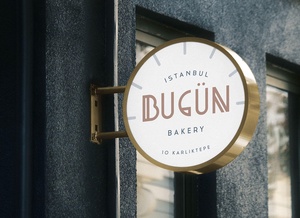
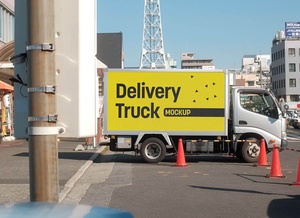
We've created a free, high-resolution PSD mockup to help you visualize your billboard design. Simply place your artwork on the smart object layer, and see how it comes alive in a realistic setting.
Download the Billboard Mockup Here: [Insert Download Link]
This mockup comes with:
- Layered PSD format: Easy to customize and adjust
- Smart object insertion: Effortlessly integrate your artwork
- High resolution: 4500 x 3000 px
- Artwork resolution: 3834 x 1850 px
- Free for personal and commercial use: Design without restrictions
Steps to Use the Mockup:
- Place Your Design: Open the PSD file in Photoshop and drag your artwork onto the designated smart object layer.
- Save the File: Save your mockup with your custom design.
Now you're ready to create a billboard that makes a lasting impact! Remember, the key is to design for speed, simplicity, and impact. Use these tips and our free mockup to elevate your billboard game to the next level.