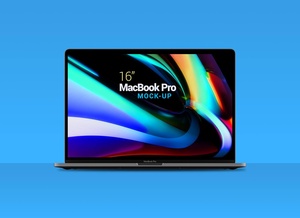
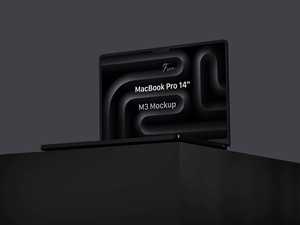
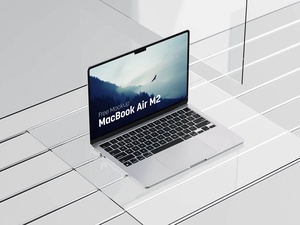
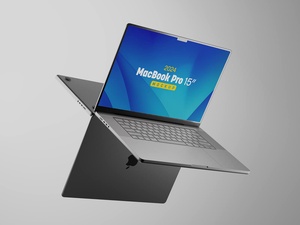
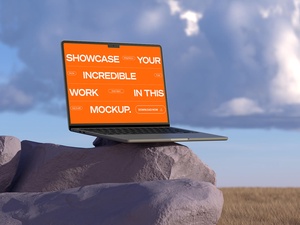
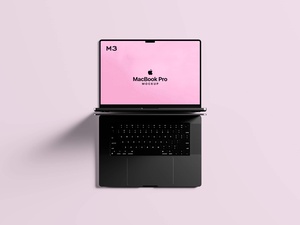
Ultra High Resolution MacBook Pro Mockup

While we have been receiving an overwhelming volume of mockup submission requests lately, we have maintained a strict policy of non-acceptance for the vast majority of them. This is largely due to the rise of AI-generated content, where individuals are attempting to churn out quick, low-effort mockups and requesting that we—along with many other platforms—host them for free.
At Goodmockups, we believe it is our primary responsibility to our community to curate and provide only the highest-tier resources. Our team dedicates significant time to "finding the gems" in a crowded market. Every asset on our website represents the pinnacle of quality; many are meticulously crafted in-house using Cinema 4D and Blender, while others are handpicked from the world’s most renowned digital artists and premium websites. Whether you are downloading directly from our servers or through our verified links, you can trust the integrity of the file.
For those looking to submit their work, please note our rigorous standards: we do not accept or post any mockup with a width of less than 4000 pixels. This is our absolute minimum resolution requirement to ensure crisp, professional results for our users.
To provide a clear benchmark for aspiring contributors, we are sharing a perfect example of the quality we demand. Today’s featured resource is an ultra-high-resolution MacBook Pro mockup. By downloading this file, designers can see firsthand the level of detail, lighting, and precision required to be featured on our platform.
Featured Resource: Ultra-High-Res MacBook Pro Mockup
This mockup serves as a gold standard for digital presentation, offering unparalleled clarity and ease of use for showcasing web designs or software interfaces.
Technical Specifications: * Available Format: Fully layered PSD with intuitive smart object insertion. * License: Free for both personal and commercial projects. * Package Includes: One high-precision Photoshop PSD mockup file. * Stunning Resolution: 6500 x 5000 px (far exceeding our minimum requirements).
Instructions for Use: 1. Open the PSD file and locate the smart object layer. 2. Double-click to place your web design, then save to see it perfectly rendered on the MacBook screen. 3. Software Requirement: Adobe Photoshop CS5 or higher is required for full compatibility.